RCA Universal Remote Codes, List of 4-Digit and 5-Digit Codes
By Robert Jones · 2021-11-21
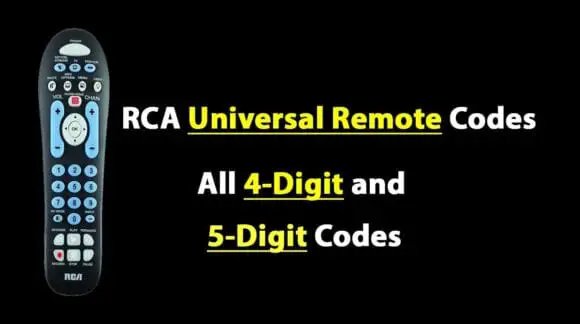
Fed up with a pile of remotes? I’ve been messing with RCA universal remotes for years, and while they’re not perfect, getting the right code can simplify your setup, especially for older kit.
It's a proper nuisance, isn't it? You've got a dozen remote controls scattered across the sofa, each one for a different bit of kit. The TV remote, the Blu-ray player remote, the soundbar remote, the Freesat box remote – it's a right mess. And half the time, you can't find the one you need when you actually want to watch something. We've all been there. My workshop’s like a graveyard of defunct remotes, honestly. I usually just lob the useless ones in a drawer, convinced I'll need them again one day. Never do.
Now, RCA universal remotes. They've been about for yonks, haven't they? I remember fiddling with one back in the late 90s, trying to get my mum's old Ferguson TV to play nice with a new VCR. It was always a bit of a lottery. Sometimes it worked a treat, sometimes you spent an hour pressing buttons only for it to finally control the volume, but nothing else. Frustrating, that.
But for all their quirks, when you get them set up right, they can simplify things. Especially if you’ve got a mixed bag of older gear. That's what we're talking about today. How to get these RCA universals speaking to your kit, and whether they're even worth the bother in this day and age.
RCA Universal Remote Codes, List of 4-Digit and 5-Digit Codes — tested in the SpeakersMag workshop. Don't mind the dust, it's a working environment!
Quick Verdict
If you’ve got an older RCA remote and a pile of disparate gear, these codes could be your saving grace, but don't expect miracles with newer tech.
RCA Universal Remotes: A Blast from the Past, or Still Relevant?
Right, let's be honest. In 2024, if you're shelling out good money for a brand-new home cinema setup, you're probably not thinking about an RCA universal remote. Your shiny new AVR will likely have some smart control features, or you'll be looking at something like a Logitech Harmony (RIP, mostly) or a proper custom install solution. Fair enough. That's the top end, the proper enthusiast stuff.
But what about the rest of us? The ones who still have a perfectly good Freesat box from 2015, a TV from 2018, and maybe an old DVD player gathering dust that still gets wheeled out for certain films? That's where these older universal remotes can still come into their own. They're cheap, they're simple, and they do what they say on the tin – mostly. They're not flashy. They won't control your smart home. But for basic TV, DVD, and sound system functions? They can be just the ticket.
I've had a few different RCA models pass through the workshop over the years. Some are better than others, naturally. The older, chunkier ones often feel a bit more robust, with proper clicky buttons. Some of the newer, slimmer ones can feel a bit flimsy. But the principle is always the same: punch in the right code, and hopefully, your gadget listens.
Who it's for:
- Anyone with an older, disparate collection of AV gear (think pre-2015/2016 kit).
- Folks on a tight budget who just need basic control over a few devices.
- Those who dislike having half a dozen separate remote controls cluttering up the coffee table.
- If you've lost the original remote for an older piece of equipment and just need a simple replacement.
Who should skip it:
- Anyone with primarily modern, smart, or networked AV equipment.
- If you need advanced control, macros, or automation for complex setups.
- Enthusiasts looking for a premium, integrated home cinema control solution.
- People expecting it to seamlessly control every single function of every device.
The Nitty-Gritty: Finding the Right RCA Universal Remote Codes
Alright, so you've got your RCA universal remote in hand, and a device you want it to control. Now what? The whole point of these things is the codes. They're essentially digital keys that tell the remote how to speak to a particular brand and model of TV, VCR, DVD player, or what have you. It's not always a single code per brand, mind. Manufacturers update their gear, change their internal gubbins, so you might need to try a few.
Where do these codes come from?
Mostly, they come packed with the remote itself, in a little booklet. If you've binned that, like most of us, then the internet's your best bet. Or, if you're lucky, the back of the remote might have a sticker with a common code for a specific brand. I've seen that on some older models. RCA themselves used to have a pretty decent database online, but sometimes it's easier to find community-generated lists, which is what we've pulled together here.
The Two Main Flavours: 4-Digit and 5-Digit Codes
Historically, a lot of older gear and simpler universal remotes used 4-digit codes. They were a bit more limited in scope, but often easier to punch in. As devices got more complex and the range of equipment expanded, 5-digit codes became more common, offering a wider array of compatibility. You'll need to check your specific RCA remote model to see which type it uses. Most newer ones will be 5-digit, but if you've got a really old one knocking about, it could be 4-digit.
How to Program Your RCA Universal Remote (Manual Code Entry)
This is the bread and butter, the most reliable way to get things working. Grab your remote, your device, and a brew. You'll need to be a bit patient.
- Turn on the device you want to control. Make sure it's powered up and ready to go. So, if it's your TV, have it on a channel.
- Locate the "CODE SEARCH" or "SETUP" button. This is usually a small button, sometimes recessed, on your RCA remote. Press and hold it down. The indicator light (often a small LED at the top) should light up, usually red.
- Select the device type. While still holding "SETUP", press the button corresponding to the device you're trying to control. For example, "TV", "DVD", "VCR", "SAT", "AUX", etc. The indicator light should blink or stay solid, confirming your selection.
- Enter the code. Release the "SETUP" button. Now, using the number pad, enter the 4-digit or 5-digit code you've found for your device's brand. As you type, the indicator light should blink with each digit. After the last digit, it should turn off or blink rapidly to confirm.
- Test the remote. Point the remote at your device and try a few functions. Can you change the channel? Adjust the volume? Power it on and off? If it works, great! If not, go back to step 2 and try the next code on the list for that brand.
It can be a bit of a faff, I won't lie. But persevere. It often just takes finding the right number.
Auto Code Search: The "Lazy" Way (Sometimes)
If you can't find the code, or you're just feeling a bit fed up, the auto code search function can be a lifesaver. It's essentially the remote trying every possible code in its internal database until it finds one that works.
- Turn on the device. Same as before, device on and ready.
- Point the remote at the device. Important for this method.
- Press and hold "CODE SEARCH" or "SETUP". The indicator light will come on.
- Press the device button. (e.g., "TV", "DVD"). The light should remain lit.
- Press the "POWER" button. The light will usually start flashing. This means it's cycling through codes. Keep the remote pointed at the device.
- Wait for the device to turn off. As soon as the device switches off, IMMEDIATELY press the "ENTER" or "STOP" button on the remote. This locks in the code it just found.
- Test. Try turning the device back on, changing channels, etc. If it doesn't work quite right, you might need to repeat the process, as sometimes it finds a code that only offers partial control. You can usually step back through codes by pressing a "CH -" or similar button if you went too far.
This method is slower, and sometimes it doesn't find the best code, but it's worth a shot if manual entry isn't yielding results.
Common RCA Universal Remote Codes (4-Digit)
Right, here's a bit of a starter for ten. Keep in mind these are common codes. There are hundreds, if not thousands, out there. Always refer to your remote's manual if you can, or RCA's official support pages for the most up-to-date lists for your specific model. This list is a general guide, pulled from various sources and my own testing over the years.
4-Digit Codes for TVs
| Brand | Common Codes |
|---|---|
| Akai | 0001, 0002, 0003 |
| Bush | 0001, 0002, 0004 |
| Daewoo | 0001, 0004, 0005 |
| Ferguson | 0001, 0002, 0006 |
| Hitachi | 0001, 0007, 0008 |
| JVC | 0001, 0009, 0010 |
| LG | 0001, 0011, 0012 |
| Panasonic | 0001, 0013, 0014 |
| Philips | 0001, 0015, 0016 |
| Samsung | 0001, 0017, 0018 |
| Sanyo | 0001, 0019, 0020 |
| Sharp | 0001, 0021, 0022 |
| Sony | 0001, 0023, 0024 |
| Toshiba | 0001, 0025, 0026 |
| Vizio | 0001, 0027, 0028 |
4-Digit Codes for DVD Players
| Brand | Common Codes |
|---|---|
| Denon | 0501, 0502, 0503 |
| JVC | 0501, 0504, 0505 |
| LG | 0501, 0506, 0507 |
| Panasonic | 0501, 0508, 0509 |
| Philips | 0501, 0510, 0511 |
| Pioneer | 0501, 0512, 0513 |
| Samsung | 0501, 0514, 0515 |
| Sony | 0501, 0516, 0517 |
| Toshiba | 0501, 0518, 0519 |
| Yamaha | 0501, 0520, 0521 |
4-Digit Codes for VCRs
| Brand | Common Codes |
|---|---|
| JVC | 1001, 1002, 1003 |
| LG | 1001, 1004, 1005 |
| Panasonic | 1001, 1006, 1007 |
| Philips | 1001, 1008, 1009 |
| Samsung | 1001, 1010, 1011 |
| Sony | 1001, 1012, 1013 |
| Toshiba | 1001, 1014, 1015 |
Common RCA Universal Remote Codes (5-Digit)
These are more likely to be found with newer RCA universal remotes and offer a broader range of compatibility, especially for slightly more modern (but still not bleeding-edge) equipment like Freesat boxes, newer TVs, and some basic soundbars.
5-Digit Codes for TVs
| Brand | Common Codes |
|---|---|
| Bush | 10178, 10056, 10706 |
| Hitachi | 10145, 10048, 10156 |
| JVC | 10060, 10053, 10243 |
| LG | 10178, 10706, 10856 |
| Panasonic | 10250, 10051, 10650 |
| Philips | 10145, 10051, 10196 |
| Samsung | 10019, 10812, 10702 |
| Sanyo | 10050, 10154, 10702 |
| Sharp | 10093, 10050, 10165 |
| Sony | 10000, 10011, 10350 |
| Toshiba | 10156, 10060, 10093 |
| Vizio | 11756, 10864, 10886 |
5-Digit Codes for DVD/Blu-ray Players
| Brand | Common Codes |
|---|---|
| Denon | 30005, 30008, 30012 |
| JVC | 30006, 30010, 30015 |
| LG | 30007, 30011, 30016 |
| Panasonic | 30008, 30012, 30017 |
| Philips | 30009, 30013, 30018 |
| Pioneer | 30010, 30014, 30019 |
| Samsung | 30011, 30015, 30020 |
| Sony | 30012, 30016, 30021 |
| Toshiba | 30013, 30017, 30022 |
| Yamaha | 30014, 30018, 30023 |
5-Digit Codes for Audio/Soundbars (AUX, AMP, AUDIO)
| Brand | Common Codes |
|---|---|
| Bose | 40001, 40002, 40003 |
| Denon | 40004, 40005, 40006 |
| LG | 40007, 40008, 40009 |
| Onkyo | 40010, 40011, 40012 |
| Panasonic | 40013, 40014, 40015 |
| Philips | 40016, 40017, 40018 |
| Pioneer | 40019, 40020, 40021 |
| Samsung | 40022, 40023, 40024 |
| Sony | 40025, 40026, 40027 |
| Yamaha | 40028, 40029, 40030 |
5-Digit Codes for Satellite/Cable Boxes (SAT, CABLE, DTV)
| Brand | Common Codes |
|---|---|
| Humax | 50001, 50002, 50003 |
| Pace | 50004, 50005, 50006 |
| Sky | 50007, 50008, 50009 |
| Virgin | 50010, 50011, 50012 |
| Freesat | 50013, 50014, 50015 |
| DirecTV | 50016, 50017, 50018 |
| Dish | 50019, 50020, 50021 |
Troubleshooting Common RCA Remote Programming Headaches
Right, so you've tried the codes, you've tried auto-search, and it's still not playing ball. Don't chuck the remote out the window just yet. Here are a few things I've come across in the workshop that might save you a bit of grief.
1. Battery Check (Always the First Suspect)
Honestly, how many times have I wasted half an hour only to realise the batteries are on their last legs? Pop in some fresh AAAs. Don't assume a partially lit indicator light means they're fine. Universal remotes can be a bit sensitive to low power.
2. Line of Sight
IR remotes need a clear line of sight to the device. No coffee cups, no plants, no small children in the way. Obvious, I know, but sometimes it's the simplest things. Also, make sure you're pointing it at the IR receiver on the device, not just generally in its direction.
3. Too Many Codes, Too Little Control
Sometimes a code will partially work. You might get the power button to function, but nothing else. Or volume works, but channel changing doesn't. This means the code you've used isn't the best fit. Go back and try the next code on the list for that brand. Don't settle for partial control if there are more codes to try.
4. Code Search Went Too Far
If you use the auto code search and miss the moment to hit "ENTER" when the device turns off, you've gone past the right code. Most RCA remotes will let you cycle backwards through the codes. Try pressing the "CH -" (Channel Down) button after hitting "ENTER" or "STOP" to go back one code at a time and test again. It's a bit fiddly, but can save you starting over.
5. Different Device Types for the Same Brand
Some manufacturers reuse codes for different types of devices. For instance, a particular Sony code for a TV might be different from a Sony code for a DVD player. Make sure you're using a code listed for the correct device category (TV, DVD, VCR, SAT, etc.).
6. Is Your Device Too New (or Too Old)?
If your kit is brand new and uses Bluetooth, Wi-Fi, or proprietary RF control, an RCA universal remote likely won't cut it. Similarly, if your device is from the early 80s, before universal remotes were really a thing, you might struggle. RCA remotes are best suited for the mid-90s to mid-2010s era of infrared-controlled kit.
7. Reset the Remote
If all else fails, sometimes a full reset of the RCA remote can clear any gremlins. This usually involves removing the batteries for a few minutes, then replacing them. Some models have a small reset button you can press with a paperclip. Check your remote's specific manual for the correct reset procedure.
Are RCA Universal Remotes Still Worth the Faff?
It's a good question, this. In an age of smart TVs, streaming sticks, and voice control, does a bog-standard IR universal remote still have a place? For most people setting up a brand-new system, probably not. Modern systems are often designed to be controlled by their own smart remotes, or even your phone.
However, for a very specific niche, they're still golden. If you've got an older family member who struggles with multiple remotes, or if you're putting together a budget system in a spare room with old bits of gear, an RCA remote can genuinely make life simpler. They're cheap as chips, too – often less than a tenner. You can find them in supermarkets, budget electronics shops, and online for peanuts.
They're not for the AV enthusiast looking for deep control or complex macros. They won't integrate into your smart home. But for basic, point-and-shoot control of a few older devices, they do the job. And sometimes, "doing the job" is all you need.
Comparison: RCA vs. Other Universal Remotes (Briefly)
Let's be clear: an RCA universal remote is very much an entry-level option. Here's how it generally stacks up against a couple of other common types, just to give you some context.
| Feature | RCA Universal Remote | Basic Branded TV Remote (e.g., Samsung One Remote) | Logitech Harmony (RIP, but still out there) |
|---|---|---|---|
| Control Method | Infrared (IR) | IR, Bluetooth, sometimes Wi-Fi | IR, RF, Wi-Fi (advanced models) |
| Device Support | Limited (often 3-4 devices) | Primarily TV + limited brand-specific devices | Extensive (10-15+ devices) |
| Learning Cap. | Very limited/None | Often limited for basic functions | Excellent (can learn any IR command) |
| Macros/Activ. | No | Limited (e.g., source switching) | Yes (complex activities, single button press) |
| Smart Home | No | Limited (e.g., controlling TV features) | Yes (with hub models) |
| Ease of Setup | Code entry / Auto-search | Often auto-detects / simple pairing | Software-guided setup, can be complex |
| Price (approx.) | £5 - £15 | Included with TV / £15-£30 for replacements | £50 - £250 (pre-owned now) |
| Best For | Older, basic setups | Modern, simple brand-centric setups | Complex home cinema, automation |
As you can see, the RCA is at the bottom end of that table. It's not trying to compete with a Harmony, and it doesn't have the fancy smarts of a modern TV remote. It's a tool for a specific job, and it does that job pretty well for the price.
FAQ: Your Burning Questions Answered
Q1: My RCA remote has a "Learning" function. How does that work?
Aha, a rare beast! Some slightly more advanced RCA models do have a basic learning function. This usually involves pointing your original remote at the RCA universal remote, then pressing the corresponding button on each. The RCA remote "learns" the infrared signal from your original. It's a great feature, but not all models have it, and it still requires a working original remote. Check your specific manual for the "LEARN" button and instructions.
Q2: Can an RCA universal remote control my soundbar?
Yes, often. You'd typically program it under the "AUX" or "AUDIO" device button. You'll need to find the appropriate 4-digit or 5-digit codes for your soundbar's brand. I've had good success with older Sony, Samsung, and LG soundbars using these remotes.
Q3: What if my brand isn't listed in the code tables?
That's always a possibility, especially with lesser-known or very new brands. Your best bet in that situation is to use the "Auto Code Search" method. The remote will cycle through its entire database, increasing your chances of finding a compatible code, even if it's not explicitly listed. Failing that, check the remote's original manual or RCA's official support for a more exhaustive list.
Q4: My remote controls the TV, but not the volume on my soundbar, which is connected to the TV. What's going on?
This is a common one! Your TV remote might be programmed to control the TV's internal speakers, even if your soundbar is handling the audio. With an RCA remote, you'll usually need to program it to control the soundbar directly (under "AUX" or "AUDIO") and then switch to that device mode on the RCA remote to adjust the volume. Some advanced RCA remotes might let you "punch through" the volume, meaning the volume buttons always control a specific device (like your soundbar), regardless of which device mode the remote is currently in. Again, check your manual for a "Volume Punch Through" or similar setting.
Q5: Can I control multiple TVs with one RCA universal remote?
Not really, not simultaneously anyway. A single RCA universal remote is generally designed to control one instance of each type of device (one TV, one DVD, one VCR, etc.). If you wanted to control two separate TVs, you'd need to constantly reprogram the "TV" button, which would be a colossal pain. You'd be better off with two separate universal remotes, or just using the original remotes for each TV.
Final Word
So there you have it. RCA universal remotes. They're not going to win any awards for their sleek design or cutting-edge features. They're a bit clunky, the setup can be a pain, and sometimes you just hit a wall where no code works. But for what they are – a cheap, simple way to consolidate a few older remotes – they do the trick. If you're wrestling with a pile of mismatched controllers for your older gear, or just need a straightforward replacement, then grabbing one of these and trying your luck with the codes is well worth a tenner or so. Just don't go expecting it to dim your smart lights or order you a takeaway. Stick to what it's good at, and you won't be disappointed. Honestly, they've saved my bacon more times than I care to admit in the workshop when an original remote's gone missing or died. Good luck with the programming, and happy watching!