Why Are My Speakers Crackling?
By Robert Jones · 2026-02-27
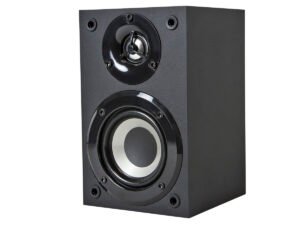
Speakers crackling? Don't fret, mate. As an old-school audio engineer, I've seen it all. Most times, it's a simple fix to get your sound sorted, no bother.
Right, so you've got that dreaded crackle, eh? The one that sounds like someone's rustling a crisp packet in your living room, or a tiny gnome is tapping out morse code inside your speakers. I've been in this game, testing kit from proper budget stuff to gear that costs more than my first house, for over two decades now, and I can tell you, that crackle usually means something's not quite right. It's annoying as hell, throws your whole listening experience out of whack. Nobody wants their favourite tunes sounding like a broken record, do they? Let's get stuck in and figure out what's what. **Quick Verdict: Don't fret, most crackling issues are simple fixes; start with your connections and work your way back.** ### Who This Guide Is For: * Anyone with crackling, popping, or buzzing speakers. * DIY enthusiasts who fancy a bit of troubleshooting. * Anyone wanting to save a few quid before calling out a pro. * Folks who want to understand their audio setup better. ### Who Should Skip It: * If your system is under warranty and you'd rather let the manufacturer deal with it. * Those who are uncomfortable poking about with electronics (though most fixes here are pretty safe). * If you've already tried everything here and are ready to chuck it all out the window (maybe read it again, eh?).  *Why Are My Speakers Crackling? — tested in the SpeakersMag workshop.* ## That Horrible Crackle: What's Really Going On? I've heard it all over the years, honestly. From those tiny little PC speakers you used to get, sounding like they're gargling gravel, to some seriously expensive monitor speakers throwing a right wobbler. That crackling, popping, or buzzing noise can drive you absolutely barmy. It ruins the immersion, makes music sound dreadful, and generally takes the shine off your whole listening experience. Getting to the root of it is key, and nine times out of ten, it's not as catastrophic as you might think. We'll tackle the easy stuff first, then work our way up to the slightly more involved bits. ## The Usual Suspects: Where to Start Your Hunt ### 1. Wires, Wires Everywhere: Checking Your Connections Right, so this is always, *always*, the first place I look. Doesn't matter if it's some ancient hi-fi system or the latest Class D amp, you'd be amazed how often it comes down to a loose cable. We're talking speaker wire, RCA interconnects, XLRs, even your main power lead. A dodgy connection means the signal isn't getting through cleanly, and that's when you start hearing all sorts of nasties. It's like trying to drink a cuppa through a straw with a hole in it – messy and ineffective. #### What to look for: * **The speaker wire itself:** Is it pushed all the way into the terminals on both the speaker and the amp? I've seen countless times where folks haven't stripped enough insulation, or a single stray strand of copper is touching another terminal, causing a short. Even worse, sometimes the wire itself gets squashed or bent, breaking the internal copper strands. Remember, copper work hardens over time, so if you're constantly bending and fiddling, it can snap. Give it a good visual inspection, then unplug and re-plug firmly. Make sure there's no bare copper touching anything it shouldn't. * **Interconnects (RCAs, XLRs, Optical):** These are a common culprit. Give them a wiggle. If the crackling stops or changes, you've found your problem. Sometimes the connectors get a bit grimy or corroded, especially in damp conditions. A quick clean with some contact cleaner (switch everything off first, mind!) can work wonders. I've had old Linn systems come into the workshop sounding like a bonfire, and it's been nothing but a cruddy RCA plug. A ten-minute job, saved a fortune. * **Power Cables:** Sounds daft, I know, but a loose power cable, particularly at the IEC inlet on your amp or sub, can cause intermittent power drops. This can manifest as pops or crackles as the unit struggles to get a consistent supply. Make sure it's snug. Also, check the wall socket – is that loose? Is it a cheap extension lead that's seen better days? * **USB/HDMI cables:** If you're running digital audio over these, a faulty or poorly shielded cable can introduce interference, especially if it's running alongside power cables. Try swapping them out for a known good one. ### 2. The Source of Your Sorrows: Input Problems Sometimes, the speakers themselves are fine, and all your connections are solid. The problem lies further up the chain, at whatever's feeding the sound in. Think of it like a leaky tap – the pipe might be fine, but the tap itself is dribbling. * **Streaming Services/Digital Files:** Is the crackle only there when you're streaming from Spotify or playing a specific digital file? Try another source. Play some internet radio, a CD, or a different track. If the crackle disappears, it's likely a dodgy file, a buffering issue with your internet, or a problem with the streaming app itself. I've had this with Tidal on occasion, especially with high-res stuff – the odd drop-out can sound like a crackle. * **Analogue Sources (Turntables, Cassette Decks):** This is where it gets a bit more involved. Turntables are notorious for crackles and pops, but that's usually the record itself. If you're getting persistent crackling *through* the music, even on clean records, check your phono pre-amp. Is it grounded properly? A hum or crackle from a turntable is often a grounding issue. Cassette decks can have dirty heads or worn-out belts, leading to inconsistent playback. Try cleaning the heads with isopropyl alcohol and a cotton bud. I've restored many an old Technics deck with just a bit of elbow grease and a fresh belt. * **Computers/Laptops:** These things are a hotbed of potential noise. Ground loops, dodgy sound card drivers, electromagnetic interference from other components inside the case. Try unplugging everything else from the computer. If you're using onboard audio, try a USB DAC (Digital-to-Analogue Converter) – often a massive improvement and can bypass internal noise. I've always recommended a decent external DAC for serious listening, even a £50 one can make a world of difference. ### 3. The Heart of the System: Amplifier Issues Ah, the amp. This is where things can get a bit more serious, but often still fixable. Amps are complex beasts, full of delicate electronics. If you've ruled out cables and sources, the amp's next on the list. * **Overheating:** Is your amp getting too hot? Amps need to breathe. If it's tucked away in a tight cabinet with no ventilation, it can overheat and start to misbehave. Thermal cut-outs can cause sudden drops or crackles as the amp tries to protect itself. Make sure it's got plenty of space around it. I've seen people stack amps on top of each other, then wonder why one keeps cutting out. Basic physics, that is. * **Faulty Components (Relays, Capacitors):** This is a bit more advanced. Older amps, especially those from the 80s and 90s, often suffer from ageing components. Relays, which switch signals internally, can become sticky or dirty, causing intermittent crackling. You might hear a distinct click when you turn the amp on, then a crackle as it tries to settle. Electrolytic capacitors can dry out and fail, leading to all sorts of unstable behaviour. If you're handy with a soldering iron, these can be replaced, but it's a job for someone who knows what they're doing. I've spent many an evening recapping vintage Quad amps – they sound glorious afterwards, but it's not for the faint of heart. * **Dirty Volume/Balance Pots:** This is a classic. If the crackling only happens when you adjust the volume or balance controls, or if it's worse at certain volume levels, it's likely a dirty potentiometer (pot). Dust and grime get in there, causing poor contact. A squirt of contact cleaner (DeoxIT is my go-to) into the pot's opening, followed by rapidly turning the knob back and forth, can often clear it right up. Remember to switch off and unplug the amp first! I've fixed countless old Rotel and Pioneer amps this way for next to nothing. ### 4. The Last Link: The Speakers Themselves If you've checked everything else, then, unfortunately, the finger points at the speakers. This is less common for crackling than for complete failure, but it does happen. * **Damaged Drivers (Woofers, Tweeters):** A ripped surround on a woofer or a creased tweeter dome can cause distortion and crackling, especially at higher volumes. Visually inspect the cones – are there any tears? Any bits flapping about? Sometimes, the voice coil can rub against the magnet assembly if it's become dislodged, causing a horrible scraping sound that can be mistaken for crackling. This often happens if the speaker's been dropped or pushed too hard. A recone or replacement driver might be needed, which can be pricey depending on the speaker. * **Crossover Network Issues:** Inside your speaker cabinet, there's a crossover network – a circuit that splits the audio signal into different frequencies for the different drivers. If components in the crossover (capacitors, inductors, resistors) fail, they can introduce distortion, hums, or crackles. Again, usually an issue with older speakers. Replacing crossover components is a specialist job, but often worthwhile for good quality vintage speakers. * **Internal Wiring:** Just like external wires, the internal wiring in a speaker can come loose or corrode over time. If you're comfortable taking the back off your speaker (careful, some have tricky seals), check that all wires are firmly attached to the drivers and the crossover. ### 5. The Invisible Menace: Interference and Ground Loops Sometimes, the crackle isn't an electrical fault at all, but rather external interference. This can be a real head-scratcher. * **RFI/EMI (Radio Frequency Interference/Electromagnetic Interference):** Your audio system is basically a big antenna. Nearby electronics – Wi-Fi routers, mobile phones, dimmer switches, refrigerators, even poorly shielded power cables from other appliances – can emit electromagnetic fields that get picked up by your audio cables or components. Try moving your phone away from the amp, or turning off fluorescent lights. I've had clients whose speakers crackled every time their central heating thermostat clicked! It's all about isolating the source. Sometimes better shielded cables can help, or moving components further apart. * **Ground Loops:** This is a classic source of hums and buzzes, which can sometimes manifest as a crackle. It happens when different components in your audio system are connected to different ground points, creating a loop where unwanted current can flow. You often get it when you have a computer connected to a USB DAC, which is then connected to an amplifier, all plugged into different wall sockets. Ground loop isolators (simple little boxes you put in the signal path) can often solve this for under £20. I keep a few in the workshop – they're proper lifesavers. ## Troubleshooting Checklist: Your Step-by-Step Guide Here's how I'd approach it in the workshop: 1. **Isolate the Crackle:** Is it one speaker or both? Does it happen with all sources (turntable, CD, streaming) or just one? Does it happen at all volumes, or just loud? This helps narrow down the problem area. If it's both speakers, the problem is likely before the speakers (amp, source, cables). If it's one, it's probably that speaker or its specific connection. 2. **Visual Inspection:** Unplug everything. Check all cables for kinks, breaks, or loose strands. Look at speaker cones for damage. Wiggle plugs and connectors. 3. **Swap Components (if possible):** * Swap speaker wires: If the crackle moves to the other speaker, it's the wire. If it stays, it's the speaker or the amp channel. * Swap speakers: If the crackle follows the speaker, it's the speaker. If it stays with the amp channel, it's the amp. * Swap interconnects: Same principle. Does the crackle move? * Try a different source: Does the crackle disappear? 4. **Clean Connections:** With the power off, use contact cleaner on volume pots, input jacks, and speaker terminals. Be generous, but let it dry before powering up. 5. **Check for Interference:** Unplug non-essential electronics. Move your phone away. Try plugging your audio system into a different power outlet (or even a different circuit in your house) to rule out household interference. ### Useful Tools for the Job: * **Screwdriver set:** For opening up terminals or speaker grilles. * **Wire strippers:** If you need to re-strip speaker wire. * **Contact cleaner (e.g., DeoxIT D5):** Absolutely essential for dirty pots and connections, costs about a tenner. * **Multimeter:** For advanced users, can check cable continuity or component health (if you know what you're doing). * **Ground loop isolator:** Worth having a cheap one on hand if you suspect interference, £15-£20. ## When to Call in the Big Guns (or just get new kit) Look, I'm all for fixing things yourself. It's satisfying, saves money, and you learn a bit along the way. But there comes a point where it's just not worth it, or it's beyond your skill level. * **Complex Amplifier Faults:** If you've got a genuine component failure in your amp (blown output stage, transformer issues, etc.), it's usually a job for a qualified electronics technician. Unless it's a truly high-end or sentimental piece, the repair costs can sometimes outweigh the value of the amp. A proper repair on an amp could run you £100-£300, easy. * **Blown Speaker Drivers:** Replacing drivers can be expensive, especially for obscure or high-end speakers. A decent replacement woofer for a mid-range speaker might be £50-£150, plus fitting. Sometimes, a full recone kit can be bought, but again, it's fiddly work. * **Intermittent, Undiagnosed Issues:** If you've tried everything on this list and the crackle still persists, coming and going without any clear pattern, it might be time to admit defeat. Sometimes, tracing these sorts of faults can take hours, meaning big labour bills from a repair shop. * **Ageing Kit:** If your system is ancient, cheaply made, and giving you constant grief, consider whether it's time for an upgrade. A decent pair of bookshelf speakers these days can be had for £150-£200 (think something like Q Acoustics 3020i or Dali Spektor 2), and a good entry-level amp for similar money. Sometimes, a fresh start is the most cost-effective long-term solution. ## Comparison Table: Common Crackle Causes & Fixes | Cause | Symptoms | Common Fix | Cost (approx.) | Difficulty | | :-------------------- | :---------------------------------------------------- | :-------------------------------------------------------- | :------------------ | :----------- | | Loose Speaker Wire | Crackle/drop-out, especially when speaker is moved. | Re-seat wire firmly, check for stray strands. | £0 | Easy | | Dirty RCA/XLR Plugs | Intermittent crackle/hum, wiggling cable helps. | Clean with contact cleaner. | £10-£15 (for cleaner) | Easy | | Dirty Volume Pot | Crackles when adjusting volume, worse at certain points. | Spray contact cleaner, rotate knob. | £10-£15 (for cleaner) | Easy | | Faulty Digital Source | Crackles/drop-outs only with specific files/streams. | Try different files/source, check internet connection. | £0 | Easy | | Turntable Grounding | Hum/crackle with turntable. | Check ground wire connection, clean contacts. | £0 | Easy/Medium | | Overheating Amp | Crackle, sudden cut-outs at high volume. | Improve ventilation, remove obstructions. | £0 | Easy | | RFI/EMI Interference | Crackle/buzz, varies with nearby devices. | Move devices, use shielded cables, ground loop isolator. | £0-£20 | Medium | | Damaged Speaker Driver| Distortion/crackle, especially at higher volume. | Replace driver, recone (specialist). | £50-£150+ | Hard (DIY), Pro| | Faulty Amp Component | Persistent crackle, not related to controls. | Professional repair/component replacement. | £100-£300+ | Hard (Pro) | ## FAQ: Your Burning Questions Answered ### Q: My speakers only crackle when the bass hits hard. What gives? **A:** This often points to a couple of things. Either your amplifier is being pushed too hard and clipping (running out of power), or your speaker driver (the woofer) is damaged or hitting its mechanical limits. Check your amp's power rating against your speaker's sensitivity. If the crackle is a sudden "thwack" or "farting" sound, it's often the woofer bottoming out or a voice coil rubbing. Turn the volume down, check for visual damage, or consider a more powerful amp or more efficient speakers. ### Q: Can a bad power strip cause speaker crackling? **A:** Absolutely. A cheap, overloaded, or faulty power strip can supply inconsistent power to your amplifier, which in turn can lead to instability and noise, including crackling. Try plugging your amplifier directly into a wall socket temporarily to rule out the power strip. If the crackle disappears, invest in a decent surge protector or power conditioner, or just ditch the cheap extension. ### Q: My wireless speakers are crackling. Is it the same issues? **A:** Many of the same principles apply (interference, overheating, damaged drivers), but with wireless speakers, you also have to consider the wireless signal itself. Is your Wi-Fi signal strong and stable? Are there other wireless devices (microwaves, cordless phones) on the same frequency causing interference? Try moving the speakers closer to the router or the source device. Also, check for firmware updates – sometimes bugs can cause crackling. ### Q: I just bought new speaker wire, and now it crackles. What did I do wrong? **A:** This is a classic! Most likely, it's how you've terminated the wire. Did you strip too much insulation, leaving bare copper exposed to short against something? Or not enough, leading to a poor connection? Are there any stray strands of copper touching across the positive and negative terminals? Double-check all your connections, ensure they're clean, tight, and correctly polarised (+ to + and - to -). ## Final Word Look, that speaker crackle is a proper nuisance, no doubt about it. But the good news is, in my experience, the vast majority of times it's something relatively simple to sort out. Don't rush to replace expensive kit until you've gone through the basics – checking those connections, isolating the source, giving things a good clean. You'd be surprised how often a bit of common sense and a ten-quid bottle of contact cleaner can save you a bundle. So roll up your sleeves, have a poke around, and get that system sounding sweet again. Cheers.